How do you automate color correction?
Automated color correction works when the target is measurable, not when mood matters.
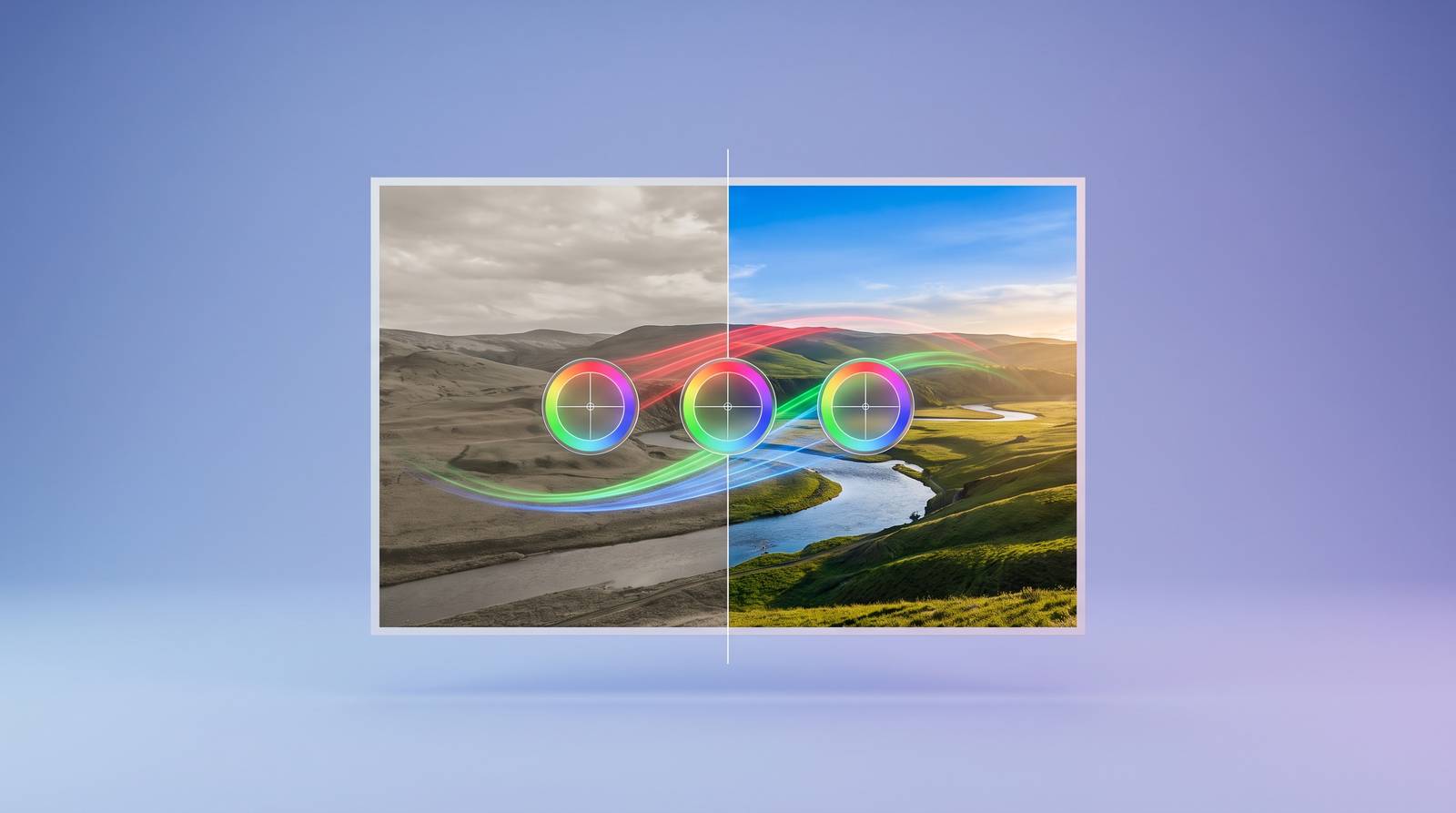
White balance normalization is the clearest case, and I say that having spent more hours than I care to count pulling casts off wedding footage shot under mixed tungsten and daylight because a second shooter never touched their white balance preset. A color cast is a measurable physical property: the sensor recorded light at a color temperature that misrepresents the scene, and correcting it means moving the image toward a mathematically definable neutral. There is no interpretation required. It is a calibration problem that happens to live inside a creative workflow.
Exposure normalization follows the same logic. A technically accurate exposure exists within a definable luminance range; the distance between a clip's actual values and that range is calculable. The AI closes the gap. It does not decide what the image should feel like.
Cross-camera matching is where the time savings become significant in practice. On a multi-camera shoot, reconciling footage from different sensors under shifting lighting conditions is one of the most tedious tasks in post. The key distinction, and one worth holding onto, is between clip-level adaptive correction and blanket timeline transformations. A blanket approach assumes the problem is uniform. It rarely is. Two cameras shooting the same interview setup will drift differently as the sun moves, and a single adjustment applied to both is wrong for at least one of them at nearly every point in the sequence.
Skin tone correction deserves its own mention, particularly for long-form work: weddings, documentaries, multi-day interview series. A subject shot across a full wedding day will move through shade, direct sun, reception candlelight, and flash. Holding consistency across that span manually, clip by clip, is where hours go and where small errors accumulate into a grade that feels subtly unstable without the viewer being able to say why.
Shot matching from a reference frame is the natural extension of all of this. The AI analyzes a reference, extracts its color profile, and propagates it across the timeline while adjusting for each clip's actual conditions rather than stamping the reference as a fixed transformation. What connects all of these tasks is that "correct" has a measurable definition in each case. The system optimizes toward a target it can evaluate objectively. It does not need to understand what the image means.
Where automation breaks down and editorial judgment takes over
Grading for mood is a different category of problem, and conflating it with correction is where editors get into trouble. The right look for a character's psychological unraveling is not measurable. The scene may need to feel wrong, and "wrong" is not a parameter any current system can define from the footage alone.
Static LUTs illustrate this structural mismatch plainly. A LUT applies one fixed transformation regardless of what is in the frame. It is a scene-unaware tool applied to scene-aware storytelling, and the gap between those two things is not a quality problem; it is an architectural one. I have seen technically beautiful LUT applications that actively undercut the emotional logic of a cut, not because the LUT was bad but because no one asked whether neutral was actually the right destination for that scene.
Research from the LumiVideo project (arXiv:2604.02409, April 2026) characterizes the problem in precise terms: existing automated methods act as "static, black-box executors" lacking interpretability and iterative control. That framing holds in practice. The tool does something, you often cannot see why, and working around it is slower than working with it should be.
The contextual decisions that fall outside automation's current reach are worth naming specifically: distinguishing a cold snowy exterior from a warm interior interview within the same grade, preserving intentional color choices that deliberately deviate from neutral, reading emotional arc across a sequence that shifts tone over ninety minutes. These require the editor to hold the whole film in mind simultaneously, which no current system attempts. The automated pass produces a starting point. What happens after that is the work.
How AI-adaptive correction differs from LUTs and static processing
The distinction between a LUT and adaptive AI correction is not a matter of degree; it is architectural. A LUT applies one fixed transformation to every clip. Adaptive correction analyzes each clip individually and modifies the transformation to fit that clip's specific lighting, exposure, and camera profile. The same intended look lands differently on every shot because the underlying adjustment is different on every shot.
Imagen Video's AI Profiles make this concrete. You select a look built by a professional colorist; the system adapts it clip by clip across the timeline rather than stamping it uniformly. The colorist's intent is preserved. The implementation varies because the footage varies.
The LumiVideo system (arXiv:2604.02409, April 2026) represents the most developed published model of what fully adaptive correction could become. It articulates four cognitive stages: Perception, analyzing the scene; Reasoning, where a large language model combined with retrieval-augmented cinematic knowledge draws conclusions about appropriate treatment; Execution, compiling those conclusions into ASC-CDL parameters and a 3D LUT; and Reflection, a natural language refinement loop enabling iterative adjustment without resetting the grade. That last stage is the meaningful departure from everything prior. The system is not only executing; it is reviewing its own output against stated intent, which is closer to how a colorist actually works than any previous automated architecture.
LUTs remain useful as style templates. The adaptive layer underneath is what compensates for real-world shot-to-shot variation. Keeping that distinction in mind changes how you evaluate tools marketed as "AI color correction," because the phrase covers a very wide range of actual capability.
What the major tools currently automate and where each draws the line
DaVinci Resolve's Neural Engine handles scene cut detection, face refinement, and depth mapping. The AI operates at the infrastructure level, embedded in a professional tool available in a free version, which makes it the most accessible entry point for editors already working inside Resolve's ecosystem.
Adobe Premiere Pro's Auto Color, powered by Sensei within the Lumetri environment, runs a first-pass adjustment and returns the controls to the editor. It is explicitly not a closed system. The 2026 Auto-Tone update reportedly adds scene context awareness, attempting to distinguish a cold exterior from a warm interview rather than treating them as equivalent adjustment problems. Whether it does that reliably across varied real-world footage is something editors will need to test against their own material; I would not accept the marketing claim at face value without running it through a multi-camera shoot with significant lighting variation.
Imagen Video is purpose-built for Premiere Pro and DaVinci Resolve workflows. You upload the project, select a style, and the system corrects each clip in the sequence. Its strongest current practical case is cross-camera matching at scale, precisely because that is where manual correction consumes the most production time.
Runway operates from a different premise entirely: prompt-driven color direction. Describing a look in language rather than dialing it in with sliders represents a real architectural departure, not just a different interface for the same underlying process.
Topaz Video AI 6 adds a capability that sits outside the conventional correction workflow: Dynamic Range Recovery, using AI to reconstruct clipped highlights and crushed shadows that traditional grading cannot retrieve. This is generative work, not corrective work, and it addresses footage that would otherwise be unrecoverable. That is a different value proposition from everything else on this list.
Across all of these tools, automation handles the technical baseline and human sign-off closes the process. Where they differ is in how creative direction is delivered, whether through sliders, profiles, or prompts, and where exactly each platform draws the line between automated and manual.
Natural language as an interface for color direction
Prompt-driven grading changes which skill the editor needs without eliminating the need for skill. Describing a look with enough specificity that a system can act on it, "anamorphic lens flares, 2.35:1, moody teal-and-orange," requires the editor to translate visual intent into language. That is a real craft, and not an easier one than knowing which curves node to reach for. It is different, and the difference matters when evaluating what editing experience actually prepares you to do.
Object-specific grading via natural language is where this interface shows particular practical promise. "Make the sky more dramatic," "saturate only the product": the AI infers the selection from the instruction without requiring manual masking. For anyone who has spent significant time drawing precise masks around complex organic shapes, the time implication is not trivial.
The LumiVideo Reflection loop formalizes what many editors are already doing informally with prompt-based tools. After the initial grade, you refine through natural language feedback, iterating without touching a slider. The system treats the feedback as instruction rather than a prompt to start over. That is the most technically developed version of this workflow currently documented in the literature, and it is worth watching as it moves from research toward implementation.
Recursive prompting is an emerging practice with uneven but interesting results: asking the AI to critique its own output treats the system as a collaborator in review rather than only an executor of instructions. A system with some capacity for self-evaluation is more useful than one that only accepts forward commands, even if the outputs are not yet reliable enough to trust without verification.
The skill migrates; it does not disappear. Knowing how to describe what you want clearly enough for a system to act on it is expertise, and it will take real time to develop for editors who have spent their careers working with manual controls.
How automated correction fits inside a real post-production timeline
Sequence matters here in ways that are not always obvious until something goes wrong. AI metadata tagging happens at ingest: the system analyzes footage as it arrives, tagging clips by lighting condition, camera, and scene. That data is what makes per-clip adaptive correction possible downstream. Running correction without it is not the same process; you are working with less information, and the results reflect that.
Automated correction runs after rough assembly, not before. The baseline grade is applied across the cut, not the raw bin. Only the clips that made it into the edit get processed. Running correction on the full bin is wasted compute; running it before the cut means processing material that may never ship.
Exports return to Premiere Pro, DaVinci Resolve, or Final Cut Pro. The correction layer lives inside the editor's existing environment, which matters more for adoption than most tool vendors acknowledge. A capability that requires editors to leave their primary environment gets used inconsistently, regardless of how good it is.
The remaining editor time goes to reviewing the AI's pass for narrative appropriateness, applying intentional deviations where a scene is meant to look wrong, and finishing the grade to delivery spec. Calling this a reduced workload is not quite right; it is a reorganized one, and the nature of what demands attention has shifted.
What editors should verify after an automated pass
Skin tones warrant a dedicated review pass on portrait-heavy work. AI skin tone correction performs well under consistent lighting and becomes less reliable across significant lighting shifts within the same sequence. Wedding footage and documentary interviews, both of which involve subjects moving through radically different lighting conditions over the course of a day, are where this limitation surfaces most visibly. The category of footage where skin tone consistency matters most is also the category where the AI is working hardest and making the most assumptions.
Intentional color choices that deviate from neutral need to be flagged before automation runs, or confirmed after. The AI's default behavior is a push toward accuracy, and a scene designed to feel sickly, desaturated, or otherwise wrong will be corrected toward neutrality. I have caught this more than once on narrative work where a deliberate visual disturbance was central to a scene's meaning. The automation had no way to know it was supposed to leave the image alone.
Cross-camera transitions are where mismatches remain most visible after an automated pass. Clip-level matching is strong; the cut between camera angles in the same scene, particularly when lighting shifted between takes, is where the seams appear. Review transitions specifically, not only individual clips in isolation.
Films with deliberate, coherent color palettes consistently show stronger audience engagement and narrative recall than technically accurate but aesthetically neutral grades, a pattern well-supported in the perceptual and film studies literature. A technically clean automated baseline that undercuts the emotional arc of the film is not a finished grade. The review pass is not optional. Treat the AI's output as a first-pass colorist's work: professional enough to build on, not finished enough to ship without scrutiny.